Finding Live Bands with Concert-Map and Sonos to Last.fm
Stringing together technology with duct tape and bubble gum to find upcoming live music based on my listening history.

Regular readers of the newsletter will know that I've been on the hunt for a friction-free way to track down live shows of bands I like.
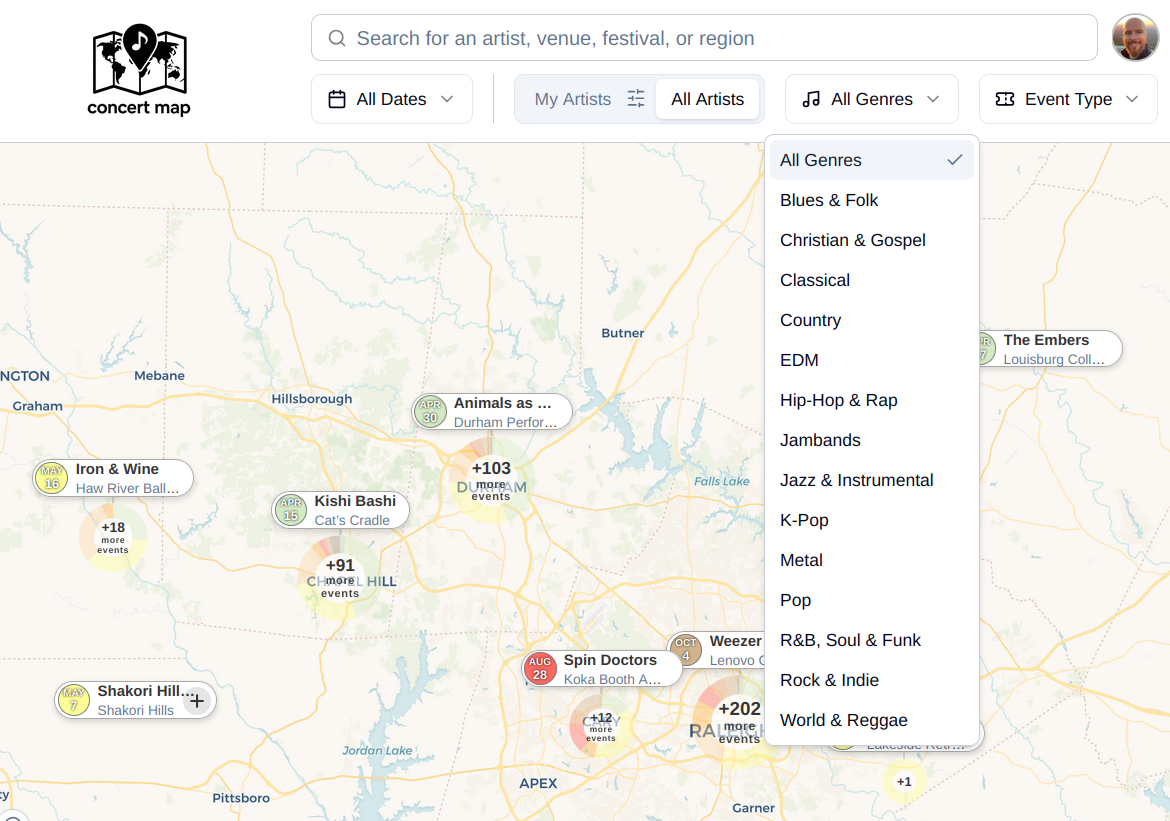
I was introduced to concert map by my Brother-in-Law Harrison. You punch in some bands you like and it shows you a map of all the upcoming shows!
The real killer feature for me is the ability to poll my listening history and figure out the top bands I've been listening to and show me those. However, like all technology, there was a problem. TWO problems:
- I use Tidal and this only supports Spotify or Last.fm.
- I use Sonos speakers at home.
Let's talk about how I solved each of these problems in turn.
Tidal to concert map
The first problem is the easiest. Since concert map can ingest data from Last.fm and Tidal can export data to Last.fm (if configured on EVERY player app) this is a workable if annoying solution.
All I had to do was dust off my Last.fm account with a last "scrobble" date of 2010. Scrobble is what they call sending the record of you playing a song to their service. Then link Tidal to Last.fm, collect some play history, and import that to concert map.
Sonos to Last.fm
Remember how I said every single Tidal player needed to be configured to "scrobble" to Last.fm? Well - this is a huge gap for Sonos players. Apparently sometime in the past decade the Last.fm feature was deprecated.
Luckily, I found a solution with this small open source project: sonos-lastfm. Huge thanks to user denya for putting this together.
While this looked like it would work, I wanted to make one tweak to this. All of the commands tell you how to run this from the CLI, or how to install it as a systemd service. The target host for me to run this is a Docker system, and a new pattern I've been enjoying for these multi-command utilities is to Dockerize them and use a justfile for tracking all the different CLI options.
Here's my recipe:
Create the Dockerfile
First, we need a Dockerfile that tells us how to install and run this app. This is a package in PyPI, so that's pretty easy. Much shorter than what the official project recommends:
Dockerfile
FROM python:3.12-slim

RUN pip install --no-cache-dir sonos-lastfm

RUN mkdir -p /app/data
WORKDIR /app

VOLUME ["/app/data"]

CMD ["sonos-lastfm", "run", "--daemon"]
Create the Docker Compose
Next, we need the docker-compose.yml to define the running system:
docker-compose.yml
services:
  sonos-lastfm:
    build: .
    env_file:
      - .env
    volumes:
      - sonos-lastfm-data:/app/data
    restart: unless-stopped
    network_mode: host
    command: ["sonos-lastfm", "run", "--daemon"]

volumes:
  sonos-lastfm-data:
The important part there is the network_mode: host. Since this app is going to be doing multicast discovery of the Sonos speakers, it needs to run on the Docker host interface, in the same subnet and VLAN as your Sonos system.
Create the .env for Secrets and Config
That little .env file is where we store the credentials and API key for Last.fm. Here's an example:
.env
# Copy to .env and fill in your credentials. .env is gitignored.

# Last.fm account credentials
LASTFM_USERNAME=
LASTFM_PASSWORD=

# Last.fm API credentials — register at https://www.last.fm/api/account/create
LASTFM_API_KEY=
LASTFM_API_SECRET=

# Optional: scrobble threshold percentage (default: 25)
SCROBBLE_THRESHOLD_PERCENT=

# Polling intervals — reduced to avoid overloading speakers
SCROBBLE_INTERVAL=10
SPEAKER_REDISCOVERY_INTERVAL=60
I decided to decrease the speaker discovery and poll speed. Doing this poll every second to ALL speakers seems really excessive. Even 10 is too much - but things seem.. fine.. so far.
Just Make it Work
Finally, to tie it all together, we need the justfile. This little package has been smoothing my life out. You'll see what I mean:
justfile
# sonos-lastfm — Dockerized Sonos→Last.fm scrobbler
# Run `just` to list available recipes.

default:
    @just --list

# Build the Docker image
build:
    docker compose build

# Start the scrobbler in the background
start:
    docker compose up -d

# Stop the scrobbler
stop:
    docker compose down

# Follow logs
logs:
    docker compose logs -f

# [first-run] Run the interactive setup wizard to validate credentials
setup:
    docker compose run --rm -it sonos-lastfm sonos-lastfm setup

# Show account info and recent scrobbles
info:
    docker compose run --rm sonos-lastfm sonos-lastfm info

# Show last 10 scrobbled tracks
recent:
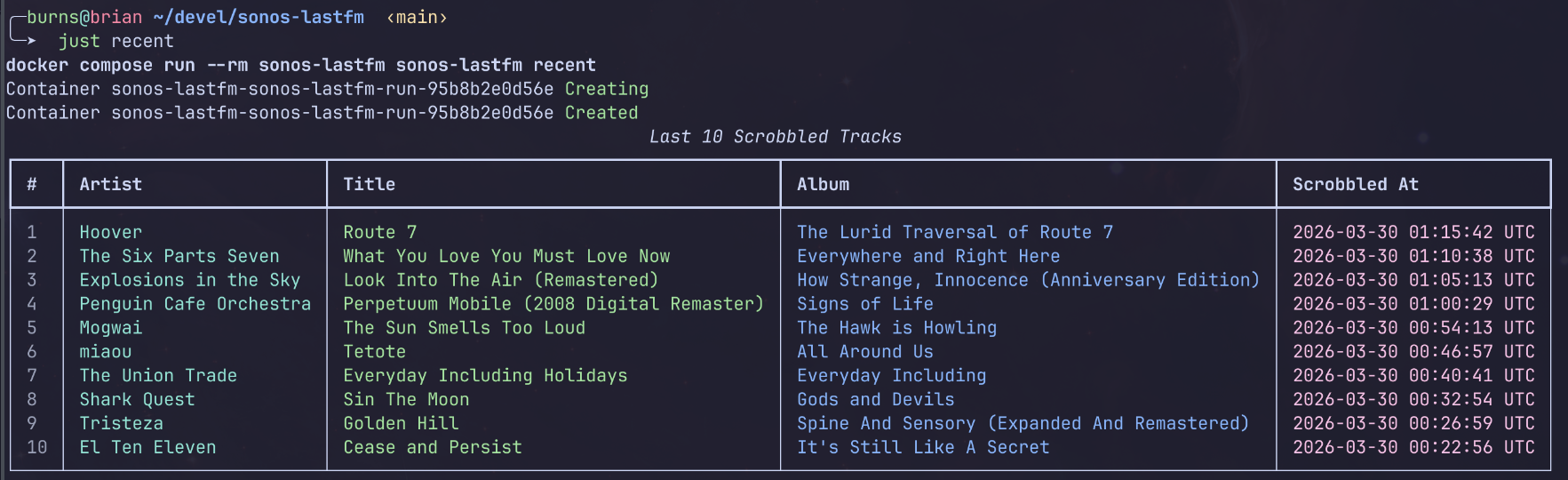
    docker compose run --rm sonos-lastfm sonos-lastfm recent

# Show stored credentials (masked)
show:
    docker compose run --rm sonos-lastfm sonos-lastfm show

# Reset stored credentials
reset:
    docker compose run --rm sonos-lastfm sonos-lastfm reset
There are a ton of commands that this little app can do, and there is no way I can remember them all. Especially if I'm running this in a small Docker container, I don't have a simple way to just instantly touch the CLI of it. Now I can run just --list to see what my options are:
just --list
just --list
Available recipes:
    build   # Build the Docker image
    default
    info    # Show account info and recent scrobbles
    logs    # Follow logs
    recent  # Show last 10 scrobbled tracks
    reset   # Reset stored credentials
    setup   # [first-run] Run the interactive setup wizard to validate credentials
    show    # Show stored credentials (masked)
    start   # Start the scrobbler in the background
    stop    # Stop the scrobbler
Verification
Now I can type things like
just build
just start
just logs
just recent
Instead of the long commands with lots of flags. This is especially valuable with multi-step commands.
Since we filled out the .env file details - all we needed was the above and we're all set! Here's what we see
╭─burns@brian ~/devel/sonos-lastfm  ‹main›
╰─➤  just build
docker compose build
[+] Building 0.3s (10/10) FINISHED
... omitted ...
[+] build 1/1
 ✔ Image sonos-lastfm-sonos-lastfm Built                                                                                                                     0.4s
╭─burns@brian ~/devel/sonos-lastfm  ‹main›
╰─➤  just start
docker compose up -d
[+] up 1/1
 ✔ Container sonos-lastfm-sonos-lastfm-1 Started                                                                                                             0.3s
╭─burns@brian ~/devel/sonos-lastfm  ‹main›
╰─➤  just logs
docker compose logs -f
sonos-lastfm-1  | 2026-03-30 01:18:27 - INFO - New speaker found: Kitchen (192.168.1.X)
sonos-lastfm-1  | 2026-03-30 01:18:27 - INFO - Updated speaker count: X
sonos-lastfm-1  | 2026-03-30 01:18:27 - INFO - Starting Sonos Last.fm Scrobbler
sonos-lastfm-1  | 2026-03-30 01:18:27 - INFO - Now playing on Den: Hoover - Route 7
just recent
Travel to See Your Favorites
Now that data is available inside Last.fm for concert-map.
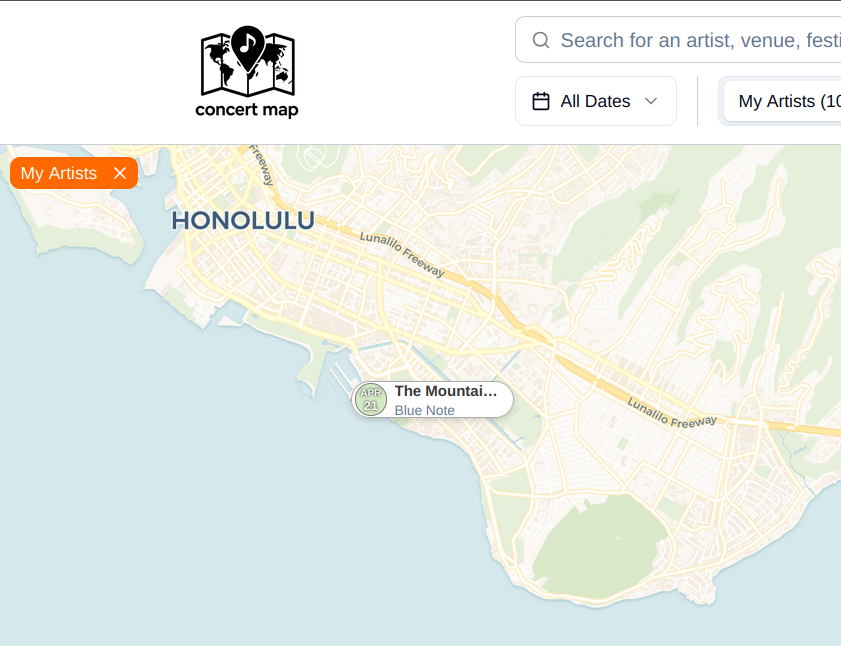
I can see that The Mountain Goats are playing in Honolulu next month, right next to where Kat and I stayed this past September. Anyone want to head that way?